Attributes and Product Variants

Attributes and Product Variants
Orion supports product variants (v. 11.0.03 or later) via the definition of attributes and master products. Definition of terms:
- Product: Part number, kit, or BOM
- Attribute: Category of characteristics or features that describe a product (e.g., size)
- Attribute options: Characteristics or features of an attribute that applies to a product (e.g., S, M, L, and XL)
- Master product: Grouping of products that share attribute sets (e.g., t-shirt)
- Product variant: Product with a specific set of attribute options grouped under a master product (e.g., XL black t-shirt)
Attributes and Attribute Options
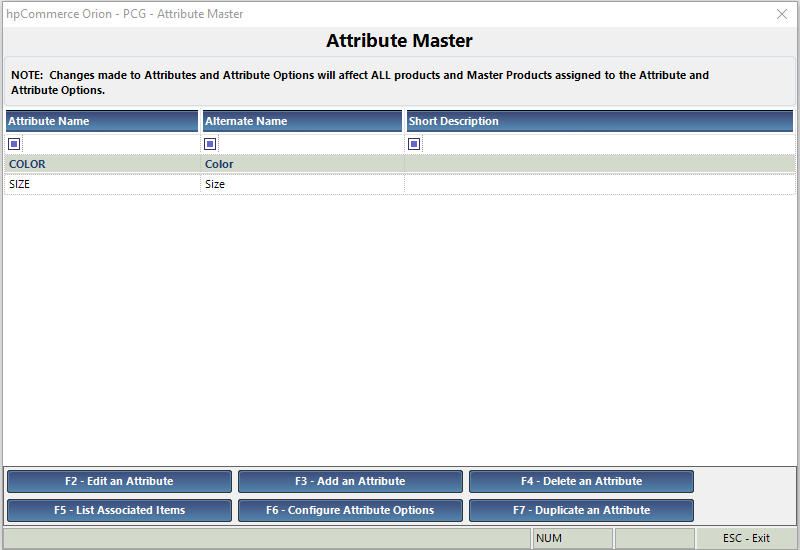
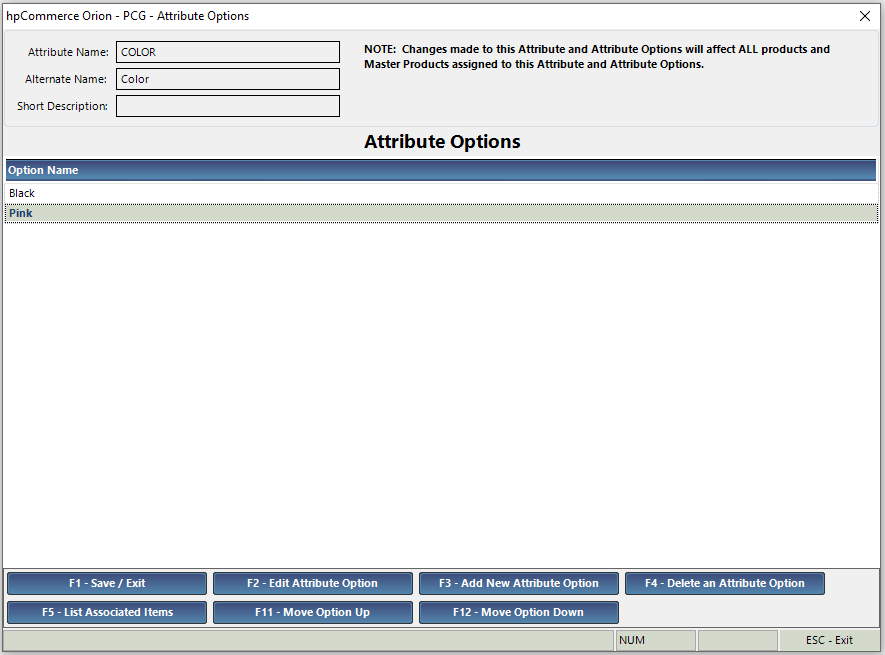
Attributes and attribute options are defined at a global level under [S – J]. The attribute name is a unique name and is used in Orion to differentiate different attributes. The alternate name is a display name used in searching and on eCommerce sites. Attributes are applied to master products. Attribute options are applied to products / variants.
Master Products
Master products are defined under [L – D – M]. There are two types of master products:
- Product Variant: This type allows the assignment of attributes and product variants for each combination of attribute options.
- List: This type is a simple grouping of products and does not use attributes. Master products of this type are not sent to eCommerce sites and are used only for searching in Orion.
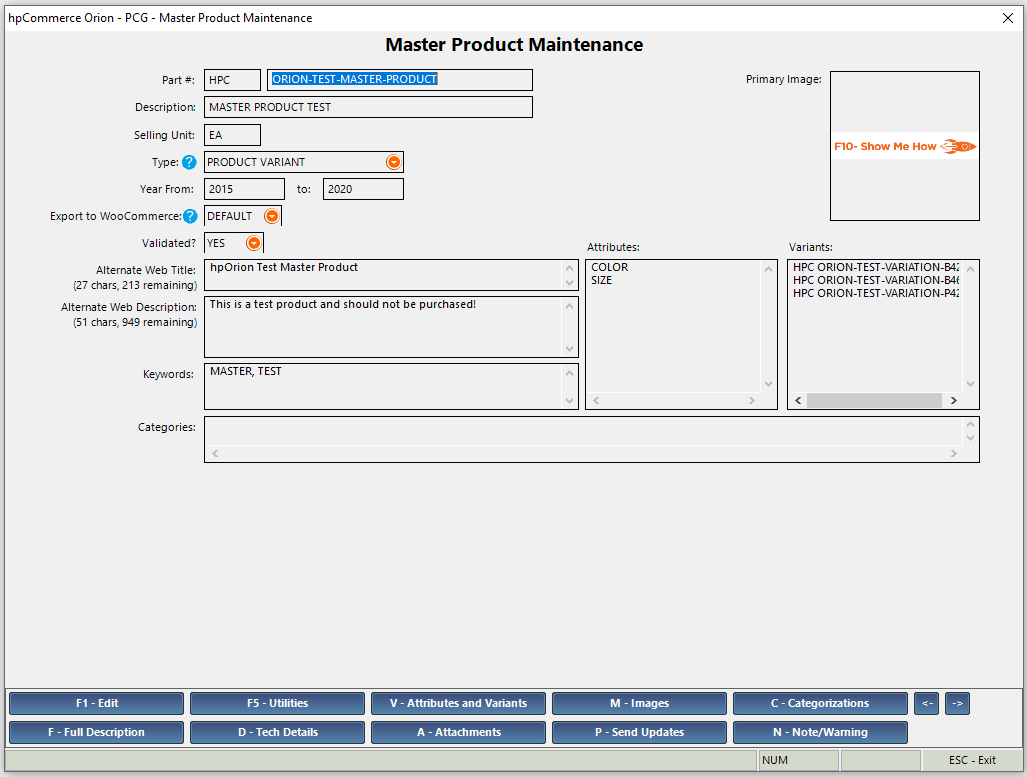
Use option [V – Attributes and Variants] to define the attributes associated with the master product and to assign product variants. Note that for list types, this option only allows assignment of products.
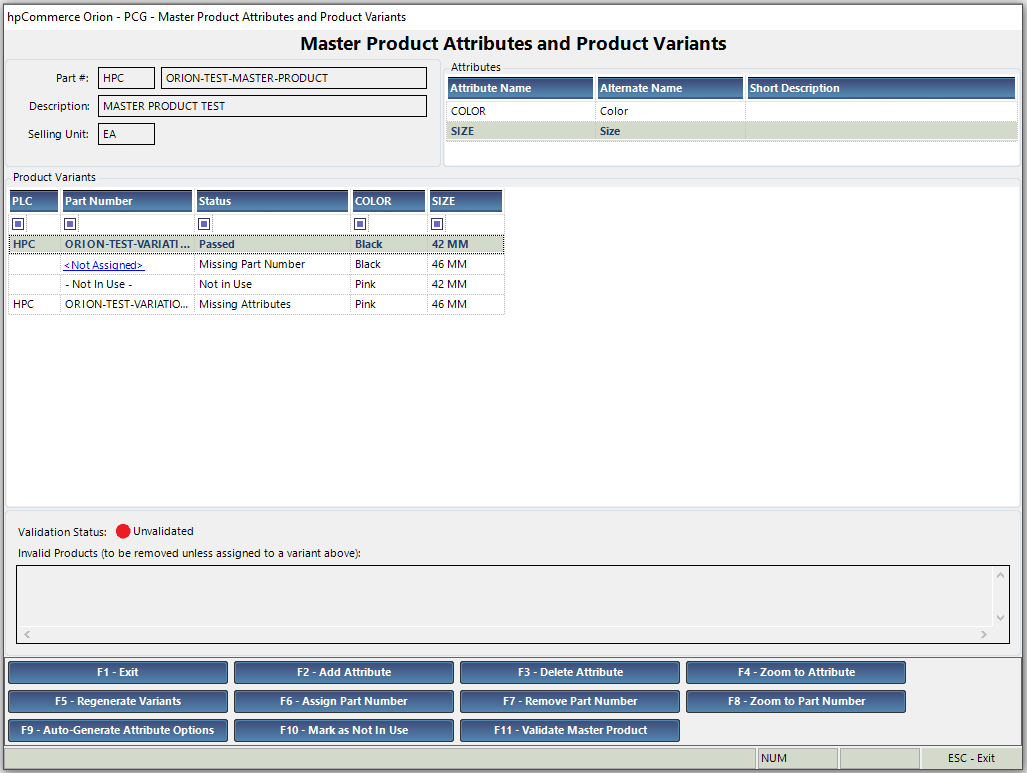
As attributes are added, Orion will generate a list of all combinations of the attribute options for those attributes. A product (part number, kit, or BOM) can be assigned to each combination as a product variant. A master product must be validated to be included in searches or sent to eCommerce sites. To be validated, each combination of attribute options must be assigned a product variant with matching attribute options or marked as “Not In Use”. When assigning a product to a set of attribute options, Orion can provide a list of products with matching attribute options via [F2 – Lookup Parts w/ Matching Attr. Options].
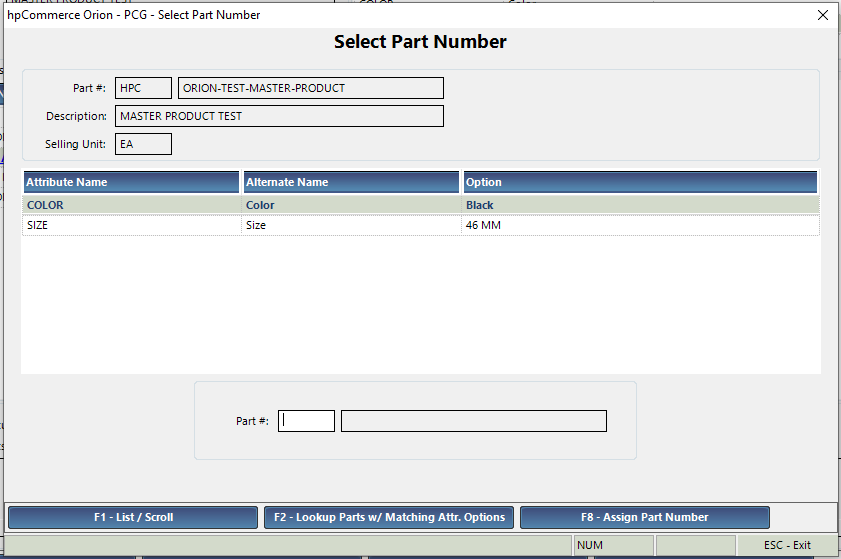
Alternatively, a product can be selected that does not have matching attribute options. In that case, function F9 – Auto-Generate Attribute Options can be used to automatically associate the selected attribute options with the selected product.
Once all attribute option combinations are assigned with products that match the selected attribute options, the master product can be validated and saved.
Product Variants
Product variants are part numbers, kits, or BOMs in Orion that have a set of attribute options and are assigned to a master product. They are created and maintained via the regular maintenance forms in Orion. Attribute options can be assigned manually via [Q – Attribute Options] on each maintenance form.
- [L – L] – Part Maintenance; Note that the [Q] option is located on the regular version of the form, not the eCommerce version. To toggle between versions, use option [T].
- [M – H – B] – Kit Maintenance
- [M – D – B] – BOM Maintenance
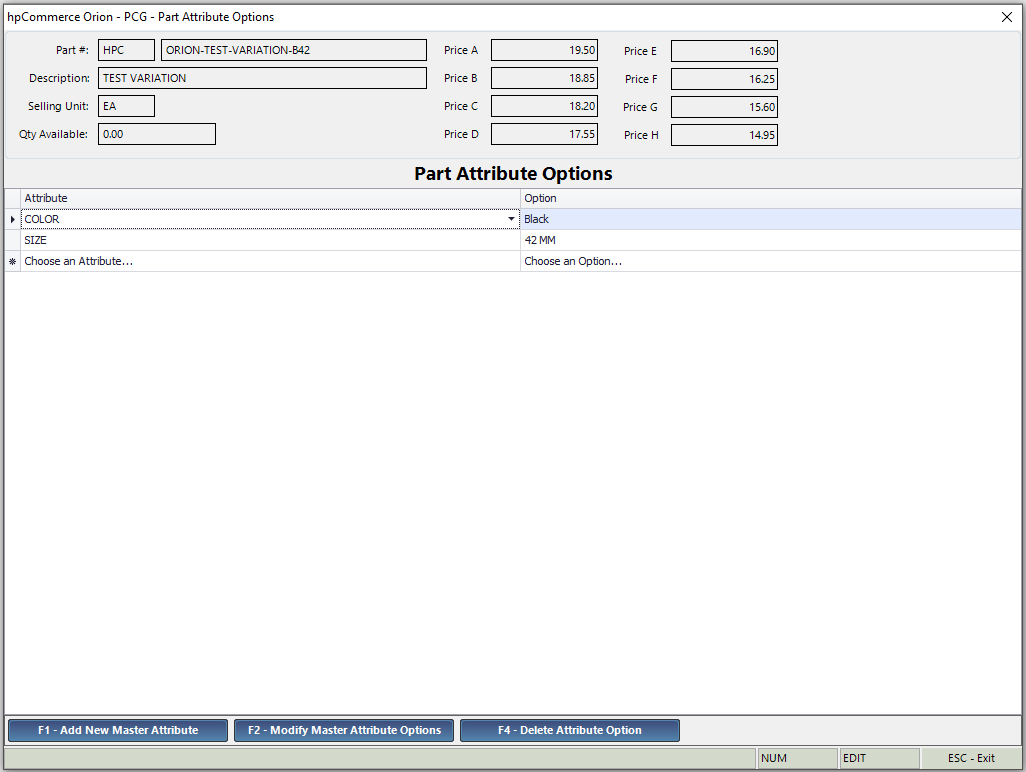
Products are assigned to master products via the master product maintenance form [L – D – M].
WooCommerce Integration
If the full data upload / product sync feature of the WooCommerce integration is turned on, attributes, attribute options, and master products are sent to WooCommerce. For a master product to be sent to WooCommerce, it must be:
- Marked as Export to WooCommerce either at the master product or PLC level
- Validated
- Of type Product Variant, master products of the List type are ignored
If a master product is sent to WooCommerce and later becomes invalidated, it will not be updated until it has been revalidated. Variants will be sent only if they are marked as Export to WooCommerce either at the product or PLC level.
WooCommerce uses different terminology for these items:
Orion Terms | WooCommerce Terms |
Attributes | Attributes |
Attribute options | Attribute terms |
Master products | Variable products |
Products (part numbers, kits, and BOMs) that are not assigned to a master product | Simple products |
Variants (part numbers, kits, and BOMs that are assigned to a master product) | Variations |
Please see the Orion to WooCommerce field mapping guide here to see which fields are sent to WooCommerce for each product type.